My portfolio has a small "copy email" button. Click it, the address goes to your clipboard, and a little card says it worked. On my laptop it worked every time. Then I opened the dev server on my phone to check the mobile layout, tapped the button, and got the error card instead.
Same code and same browser engine, but a different result. The only thing that changed was the URL.
What Was Going On
On the laptop I was opening http://localhost:3000. On the phone I was opening the laptop's Wi-Fi address, something like http://10.152.109.222:3000. Both are plain HTTP. But browsers treat them differently.
The async Clipboard API (navigator.clipboard) is only exposed in a secure context. A page is a secure context when it is served over HTTPS, or when it comes from localhost or 127.0.0.1, which browsers trust because the traffic never leaves your machine. A LAN IP over HTTP is neither, so the browser doesn't just block the call. The whole navigator.clipboard object is missing.
My original code assumed it was always there:
navigator.clipboard.writeText(email).then(() => 'copied', () => 'failed');On the phone this throws TypeError: Cannot read properties of undefined (reading 'writeText') before the promise even exists, so the failure handler never runs.
Same Page, Two Origins
I wrote one tiny HTML page that only prints what the browser reports, and opened it in Brave twice. First through localhost:
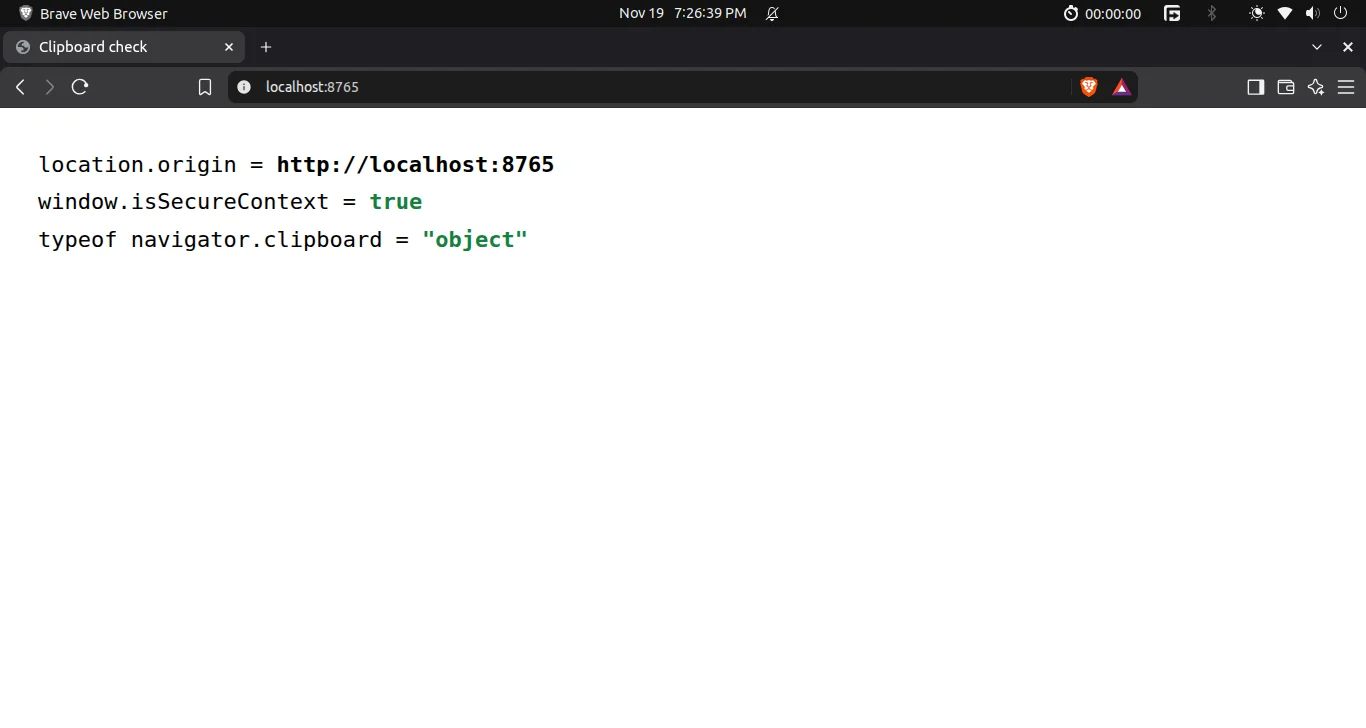
Through localhost: the page is a secure context and the clipboard API exists.
Then the exact same file through the laptop's Wi-Fi address, the way my phone opens it. Brave marks it "Not secure":
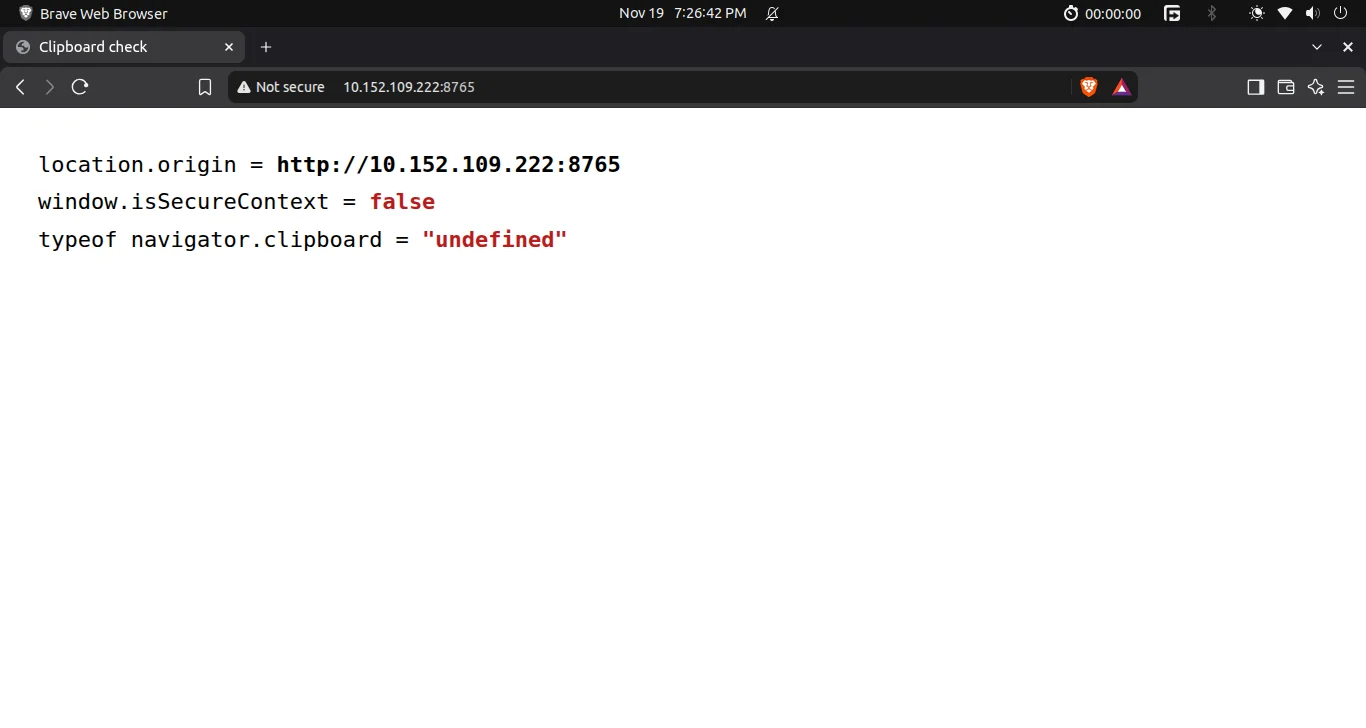
Same file over the LAN IP: isSecureContext is false and navigator.clipboard is gone.
And this is what my old code ran into. I typed the original call into Brave's DevTools console on that page:
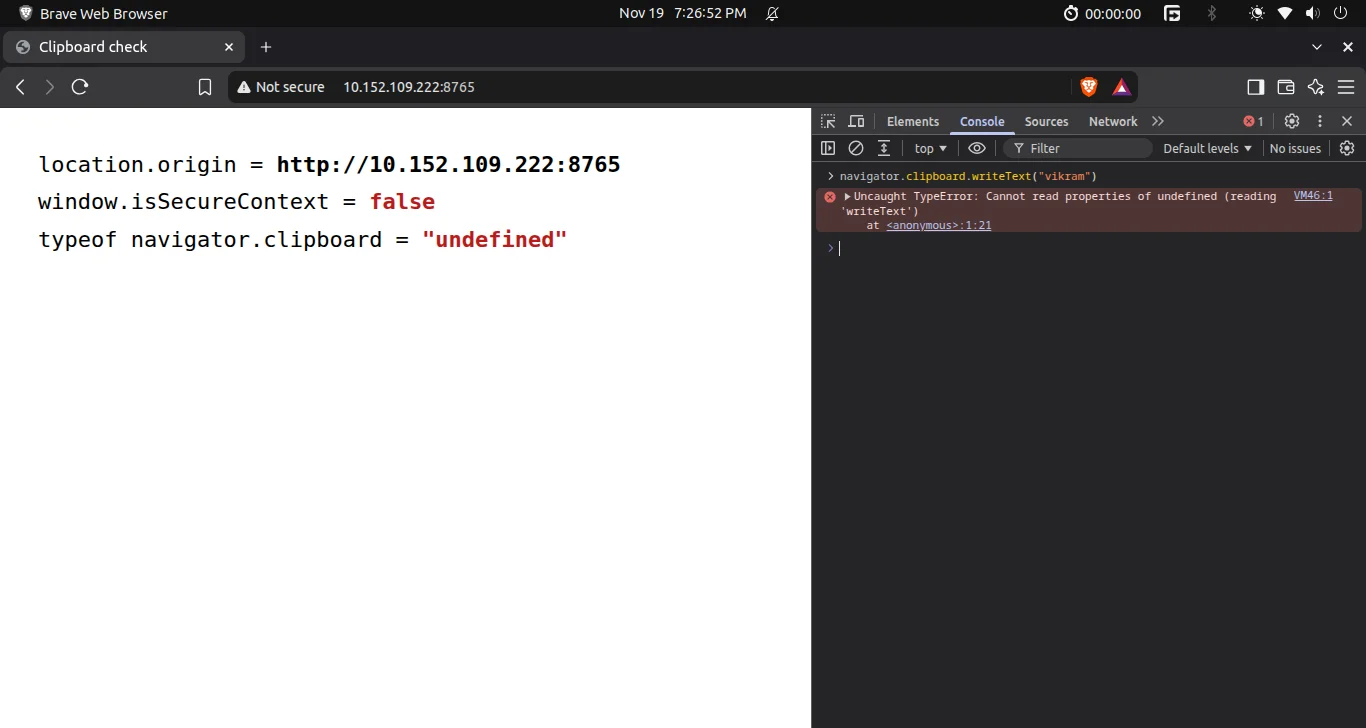
The exact TypeError, thrown before any promise exists.
The Fix: Feature-Detect, Then Fall Back
The modern API is still the right first choice. When it's missing, the old document.execCommand('copy') still works in every major browser. It's marked deprecated, but nobody has removed it, and it doesn't need a secure context. It copies whatever text is selected, so the trick is to create a hidden textarea, select its contents, copy, and remove it.
// navigator.clipboard only exists on HTTPS and localhost; a phone on the dev
// server's LAN address gets plain HTTP, so fall back to the legacy copy command
function writeClipboard(text) {
  if (navigator.clipboard) return navigator.clipboard.writeText(text);
  const field = document.createElement('textarea');
  field.value = text;
  field.setAttribute('readonly', '');
  field.style.cssText = 'position:fixed;top:0;left:0;opacity:0';
  document.body.append(field);
  field.select();
  field.setSelectionRange(0, text.length);
  const ok = document.execCommand('copy');
  field.remove();
  return ok ? Promise.resolve() : Promise.reject(new Error('copy command refused'));
}A few small details here are there for a reason:
readonlystops the phone keyboard from popping up when the textarea gets focus.position:fixed; top:0stops the page from jumping. A textarea added at the bottom of the body would scroll the page down to it when selected.setSelectionRangeafterselect()is for iOS Safari, which doesn't always select the text withselect()alone.- It returns a Promise either way, so the caller doesn't care which path ran.
The button code only changed one word:
- navigator.clipboard.writeText(email).then(...)
+ writeClipboard(email).then(...)The Fix Working Over Plain HTTP
I opened my real portfolio from the dev server through the Wi-Fi address, with "Not secure" in the address bar, and clicked the copy button:
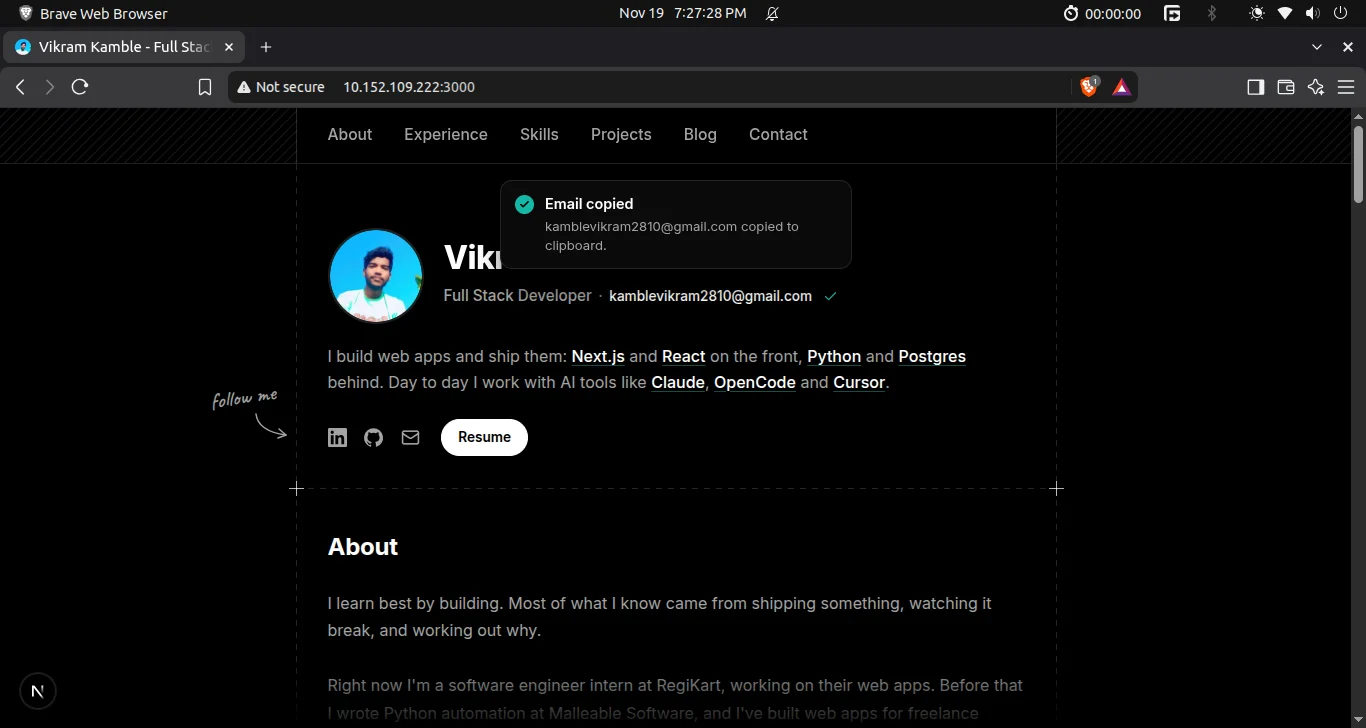
"Email copied" on a page where navigator.clipboard doesn't exist. The fallback did the work.
The terminal confirms it: the commit with the fix, and the system clipboard read back right after the click:
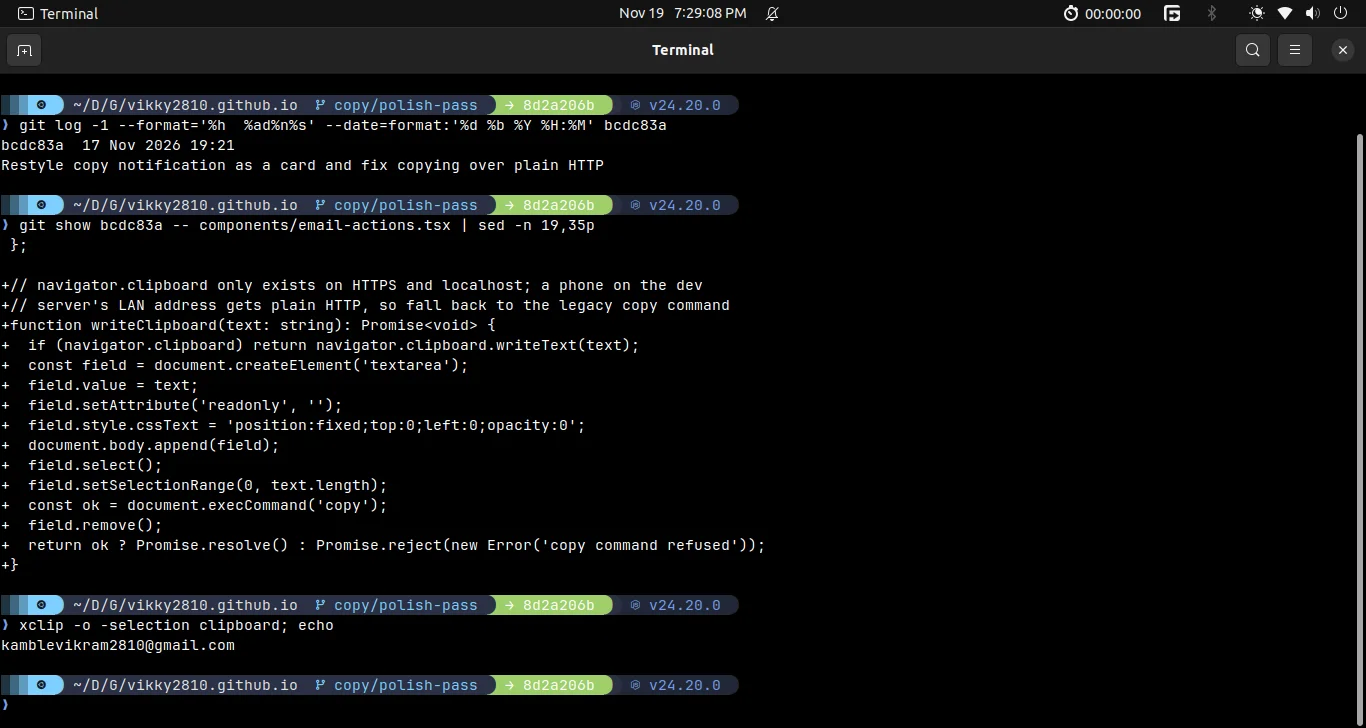
Commit bcdc83a, the added writeClipboard function, and xclip printing the address the browser just copied.
Tell the User What Happened
While I was in there I rewrote the failure message. "Couldn't copy" told the visitor nothing. Now it says what to do next: "Your browser blocked the clipboard. Select the address instead." Copying can still fail even with the fallback, for example inside some in-app browsers, so the error state is still needed, and it should be useful.
Why This Matters Beyond the Dev Server
You might think this only bites during local testing, since production is HTTPS. That's mostly true, but plain HTTP still shows up in real use:
- Testing on a real phone over Wi-Fi, like I was.
- Internal tools and dashboards served on an office IP.
- Sites inside an
<iframe>without theclipboard-writepermission, where the call is blocked. - Kiosk and intranet setups with no certificate.
In every case the fix is the same: check before you call, and have a fallback.
One Related Next.js Detail
To even load the dev server from my phone, Next.js 16 needs to allow the LAN origin, or dev assets and hot reload get blocked. I read the machine's IPv4 addresses at startup instead of hard-coding one, because my Wi-Fi IP changes:
import { networkInterfaces } from 'node:os';

// Dev only: lets a phone on the same network load the dev server through this machine's LAN address.
const lanAddresses = Object.values(networkInterfaces())
  .flat()
  .flatMap(net => (net && net.family === 'IPv4' && !net.internal ? [net.address] : []));

const nextConfig = { /* ... */ allowedDevOrigins: lanAddresses };Takeaway
navigator.clipboard being undefined almost always means the page isn't a secure context. Check window.isSecureContext in the console to confirm. Then feature-detect, fall back to execCommand('copy') with a hidden textarea, and show a helpful error if both fail.
More posts like this on the blog.